
Quick Start
In this section, we’ll build your first working chart in Ziggs step by step using the ETHUSDT pair as an example. The goal is not just to “turn something on”, but to understand the basic logic: where to add indicators, how to configure them, and how to attach alerts. Don’t worry if some terms sound unfamiliar for now — the main thing at this stage is simply to follow the steps.
In the end, you’ll have a clear setup: an ETHUSDT chart on the 1-hour timeframe, a local and a global indicator, a saved preset, and Telegram alerts. This is enough to start watching how the market behaves in real time.
1. Open the ETHUSDT Chart
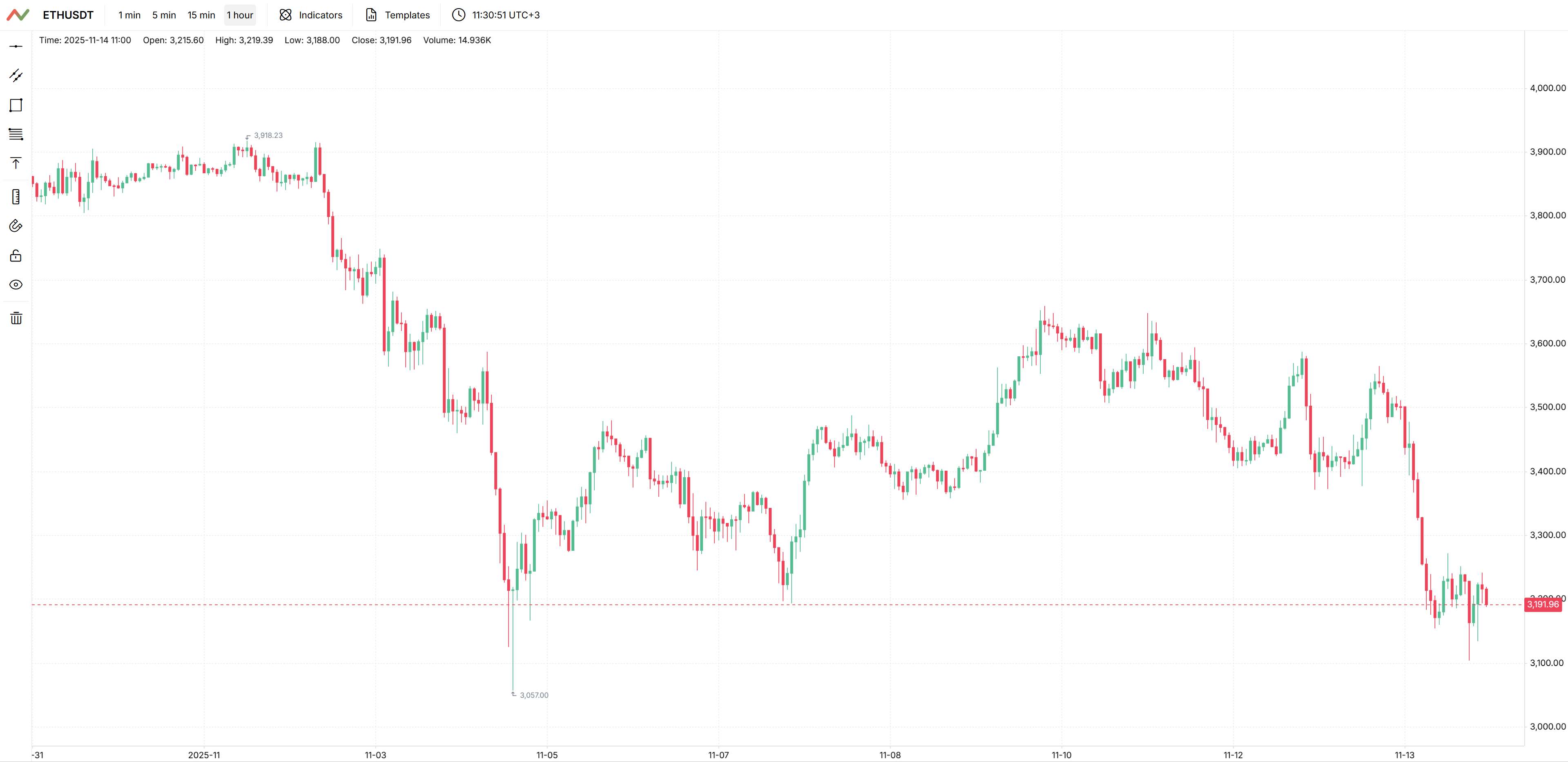
Go to the symbols list page, find ETHUSDT and click the “Chart” button. A clean chart without indicators will open.
At the top of the chart, select the 1 hour timeframe.
2. Add a Local Indicator
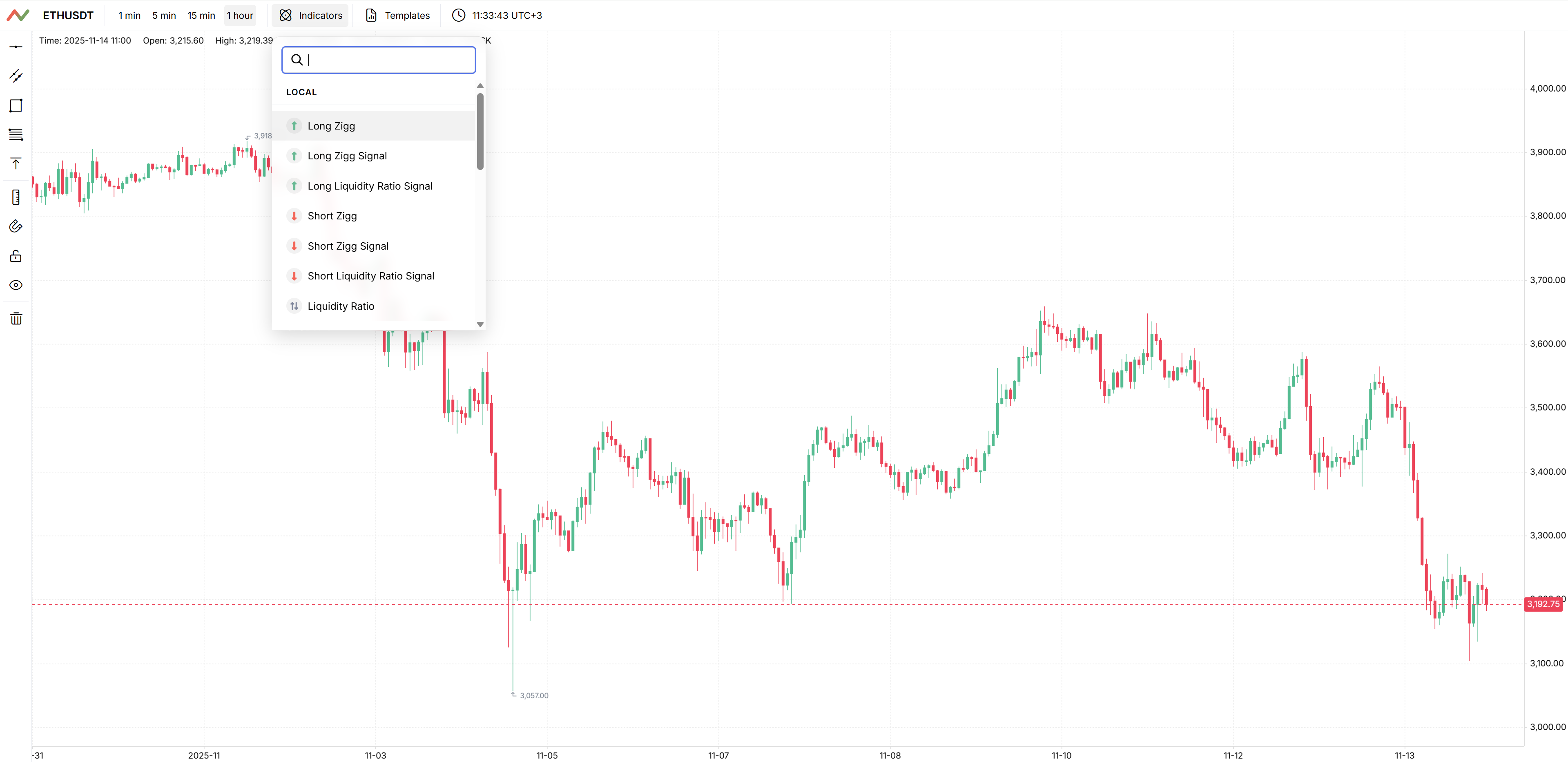
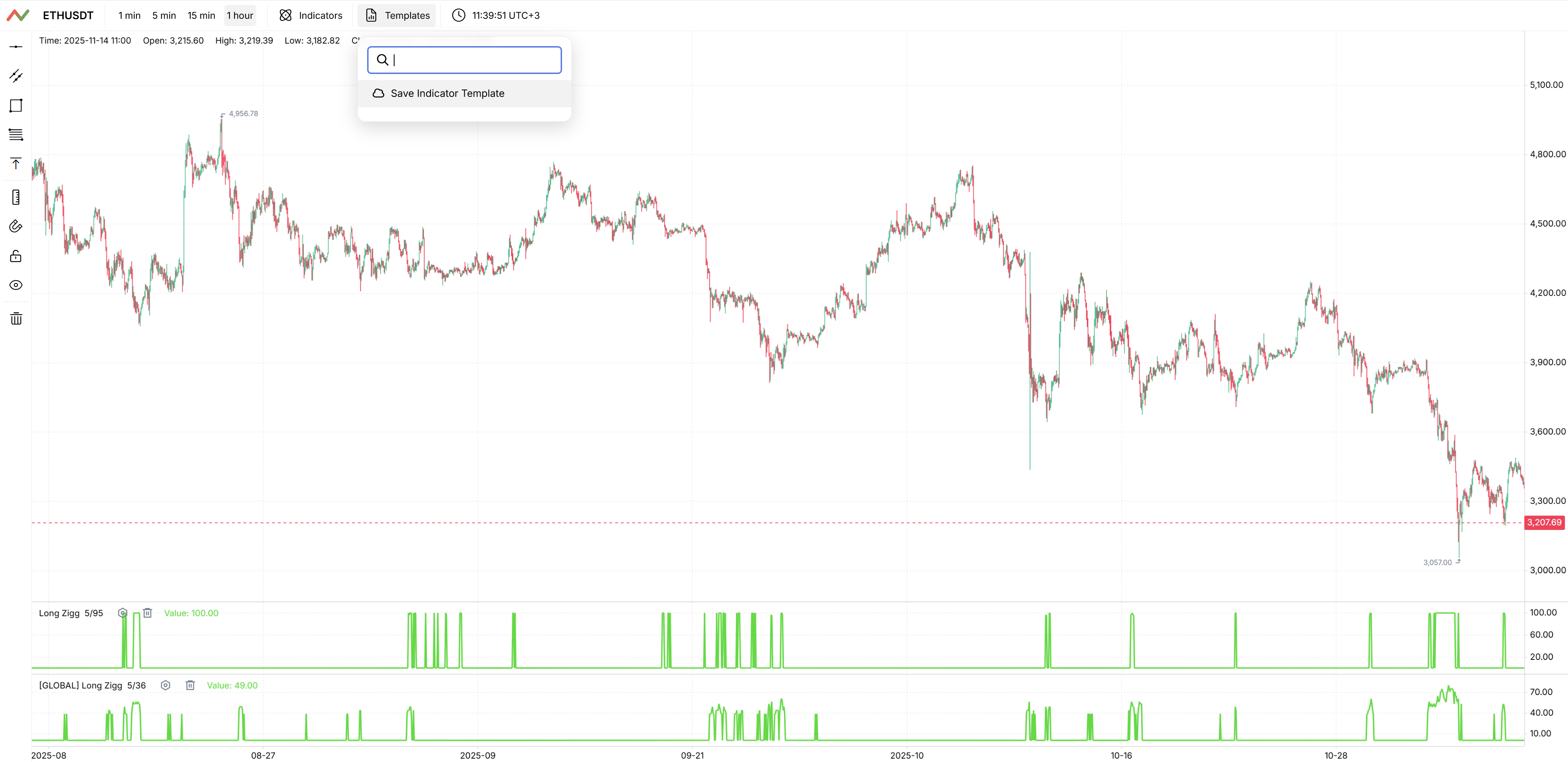
In the indicators panel, enable [Local] Long Zigg. This indicator measures the imbalance in favour of longs for a specific coin. We are interested in moments when the value of the indicator becomes high — this often coincides with areas where upward moves start or at least where selling pressure stops increasing.
After enabling it, the indicator will appear below the ETHUSDT chart. Scroll through the history and see how it behaved during past moves — this will help you get an intuitive feel for what it shows.
3. Configure the Local Indicator
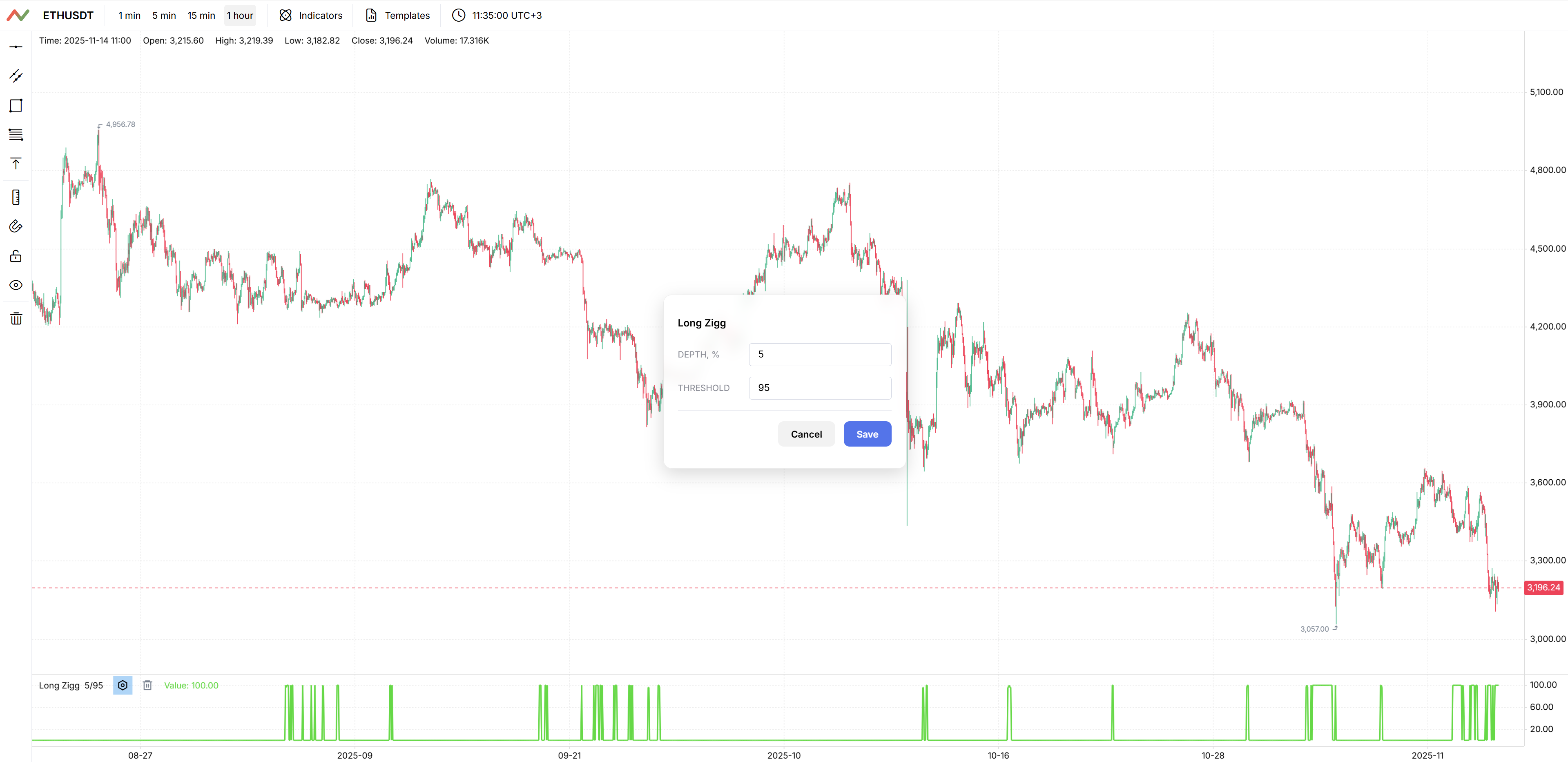
Click the button next to the [Local] Long Zigg indicator name. A settings window will open. The two main fields here are:
- Depth — the order book depth where Ziggs looks for imbalance. The larger the depth, the “wider” we look at the market, but the slower the indicator reacts to small changes. It makes sense to try different values and compare how the picture changes. For now, leave the default value — 5%.
- Threshold — the minimum indicator value that will be shown. Everything below the threshold is treated as noise and hidden. This helps you focus only on truly strong imbalances. For ETHUSDT, a good starting point is a threshold around 95.
Depth and threshold are not the only “correct” values — they are parameters you adapt to your own style and timeframe. We recommend starting with the suggested values and then experimenting.
4. Add a Global Indicator
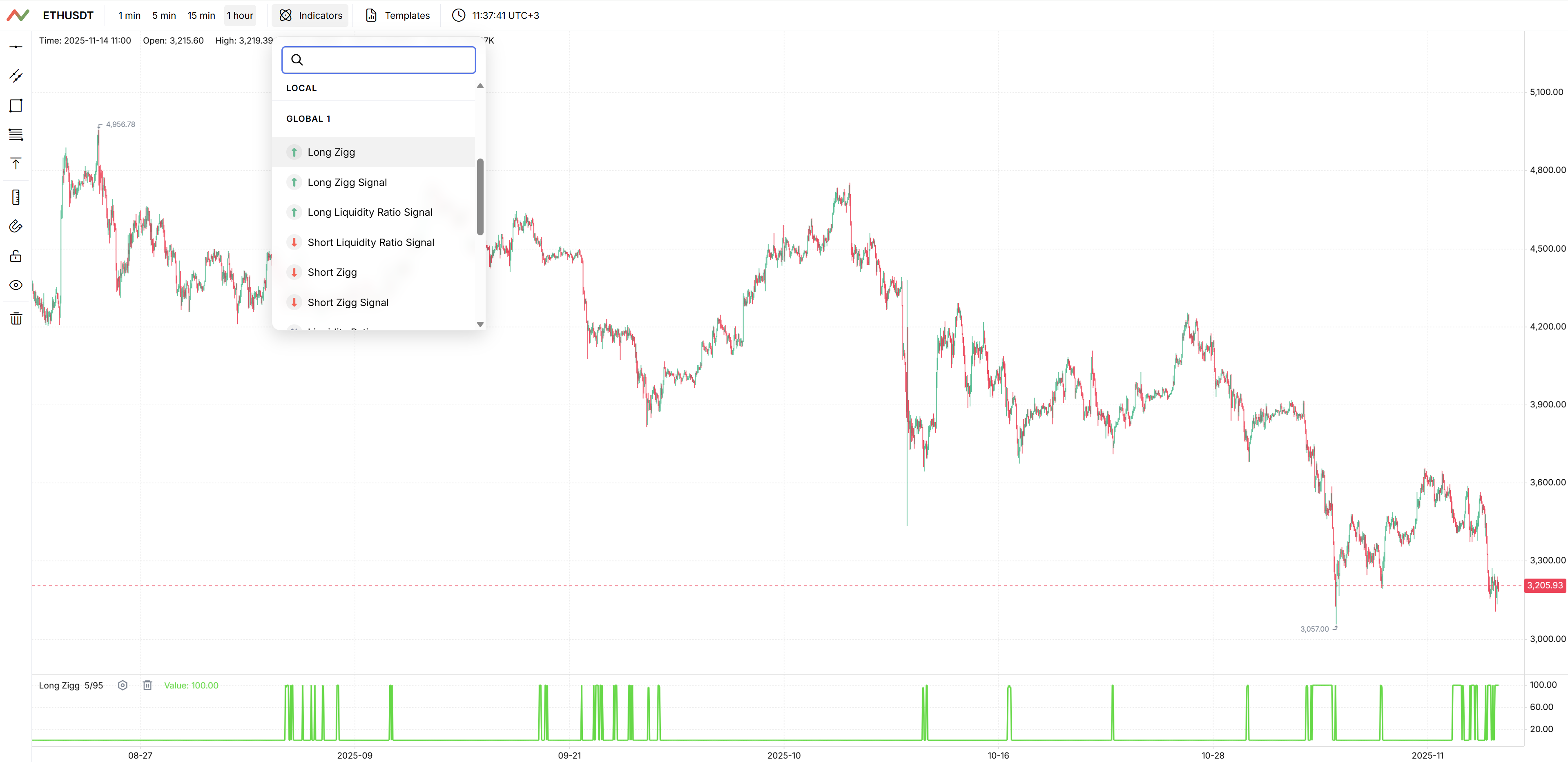
Now enable [Global] Long Zigg. Unlike the local indicator on ETHUSDT, the global one reflects the overall market environment. It answers the question: “Does the market as a whole support the idea of going long?”.
Leave the depth at 5% and set the threshold to 36.
A useful habit is to watch for alignment between local and global signals. When both ETHUSDT and the overall market are “pointing” in the same direction, such situations are usually more reliable than a single signal on one isolated coin.
5. Save a Preset
To avoid turning on the same indicators manually every time, save the current setup as a preset.
- Click the “Templates” button.
- Click “Save Indicators Template”.
- Enter a clear name, for example “ETH Long Zigg + Global” or simply “Long Zigg Setup”.
- Click “Save”.
You can now quickly reuse this indicator set — both for ETHUSDT and for other pairs with a similar trading style.
6. Create an Alert
The final step is to let Ziggs notify you about important moments automatically. For this quick start, we’ll create an alert based on the [Global] Long Zigg indicator.
You can also create an alert combining [Local] Long Zigg for ETHUSDT and [Global] Long Zigg, but within this quick start we recommend sticking to a single market-wide alert: this indicator points to a potential reversal of the whole market.
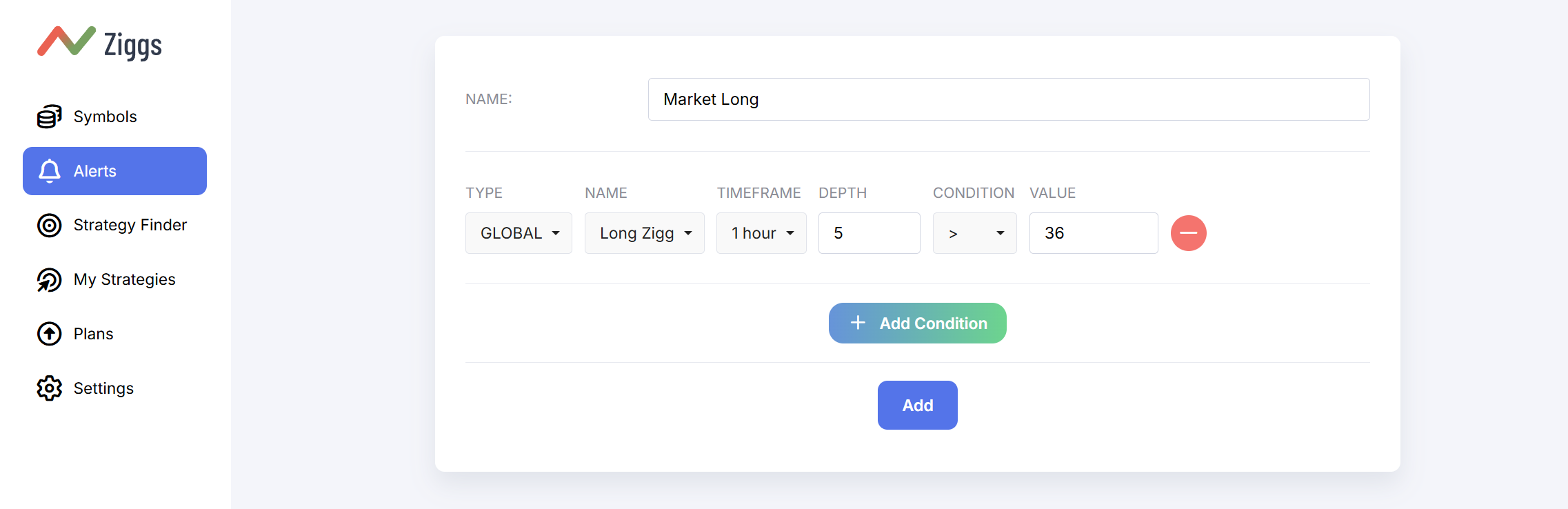
- Open the alerts page and click “Add”.
- Choose a clear name for the alert, for example Market Long.
- Click “Add Condition”.
- Select indicator type Global, indicator Long Zigg, timeframe 1 hour, depth 5%, condition >, value 36.
- You can add more conditions in the same way later, but for now we recommend keeping just this market-wide alert.
- Save the alert.
After that, the alert will appear in the alerts list. If you have connected the Telegram bot in the settings, new triggers will be delivered there. This way you can track the indicator’s reaction in real time without keeping the chart open all the time.
7. What You End Up With
At this point, your basic setup is ready: an ETHUSDT chart on 1 hour, a local and a global indicator, a saved preset, and your first alert based on [Global] Long Zigg. This is enough to start calmly watching how the signals behave in different phases of the market.
We recommend spending a few days just watching the signals and how they relate to price movements, and only then start using them in real trades and integrating them into your strategy.